Connecting LED strip lights to a power supply is easy to “make it light up,” but commercial projects demand more: predictable brightness over long runs, no flicker, clean dimming, compliance, and maintainability. Below is a revised, engineering-oriented guide written for lighting designers, electrical engineers, project managers, and procurement teams—with clear selection logic, comparison tables, and a practical protocol guide.
Understanding LED Strip Lights (Project Context First)
LED strip lights are flexible PCBs populated with LEDs and resistors (or constant-current elements), typically supplied as 5 m reels and designed to be cut at marked intervals. In commercial installations, they’re used for cove lighting, façades, retail shelving, signage, wayfinding, and hospitality feature lighting—applications where uniformity, repeatability, and long operating hours matter more than “DIY convenience.”
What LED strip lights are (and what they aren’t)
LED strips are usually constant-voltage loads (most commonly 12 VDC or 24 VDC). They are not usually connected directly to mains unless they are high-voltage/mains-rated strips with dedicated accessories and safety provisions.
Common types you’ll encounter in specifications:
● Single-color constant-voltage strips (12 V / 24 V): simplest architecture, straightforward dimming and zoning.
● RGB / RGBW constant-voltage strips: require multi-channel control (3 or 4 channels) via controller/decoder plus a power supply.
● High-voltage (mains) LED strips: used for long runs; installation and safety requirements are different (and often stricter).
Here’s a quick reference for spec discussions:
Type | Characteristics | Typical Project Use Cases |
Single-Color CV | One color, 2-wire (+/−), easy zoning | Cove lighting, shelves, corridors, signage |
RGB / RGBW CV | 4-wire/5-wire depending on common anode/cathode, needs controller | Hospitality scenes, retail displays, feature walls |
High-Voltage / Mains | Long runs, fewer injection points, special connectors | Large linear accents, outdoor perimeters (where allowed) |
Why strip lighting wins in commercial environments
For decision-makers, the value proposition is usually:
● Energy efficiency: high efficacy at low wattage per meter.
● Long service life: often tens of thousands of hours when correctly powered and thermally managed.
● Design flexibility: continuous lines, tight radii, shallow profiles.
● Control compatibility: from simple phase dimming to addressable protocols (DALI-2 / DMX512) depending on system requirements.
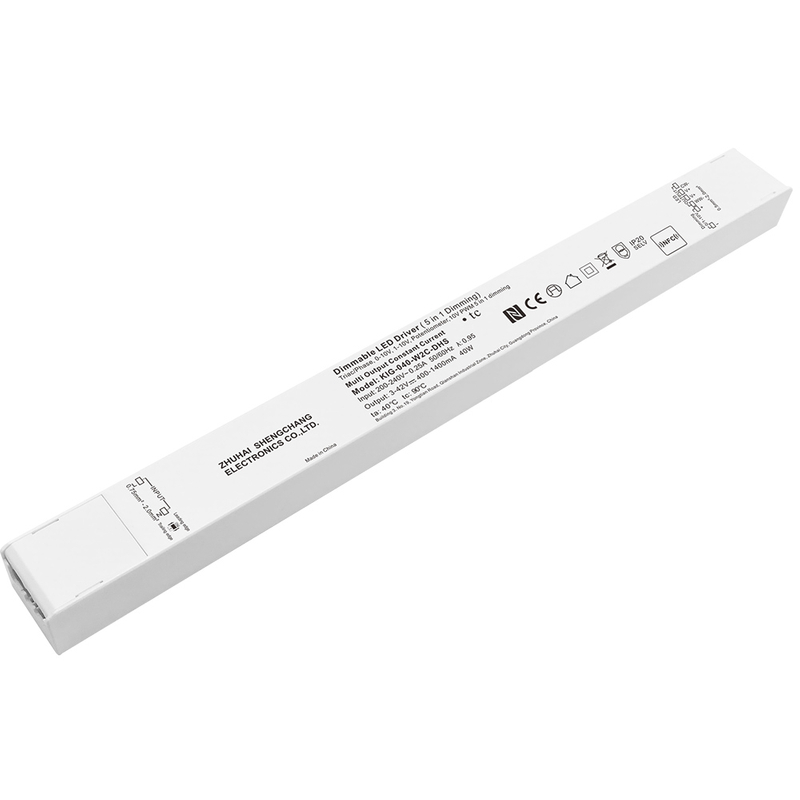
Choosing the Right Power Supply (Driver) for LED Strip Lights
The most common project failures with strip lighting are not the LEDs—they’re power architecture issues: wrong voltage, insufficient headroom, voltage drop, poor thermal placement, or protocol mismatch.
Power supply fundamentals (voltage, wattage, headroom)
Most commercial LED strips are specified as 12 VDC or 24 VDC constant-voltage. The rule is simple:
● Power supply output voltage must match the LED strip rated voltage (12 V to 12 V, 24 V to 24 V).
● Power supply wattage must exceed the total connected load with margin.
To size wattage:
1. Read the strip spec: W/m (watts per meter).
2. Multiply by installed length in meters.
3. Add design margin (commonly 20% to 30% for commercial continuous operation, depending on ambient temperature, enclosure, and run-time).
Use this calculation:
$$ P{total} = (P{per\ meter} \times L) \times (1 + Margin) $$
Example:
● Strip: 9.6 W/m
● Length: 20 m
● Margin: 25%
$$ P_{total} = (9.6 \times 20) \times 1.25 = 240\ W $$
So you would specify ≥ 240 W total available (often split across multiple drivers for zoning, redundancy, and voltage-drop management).
Two categories you must clearly separate in project documentation
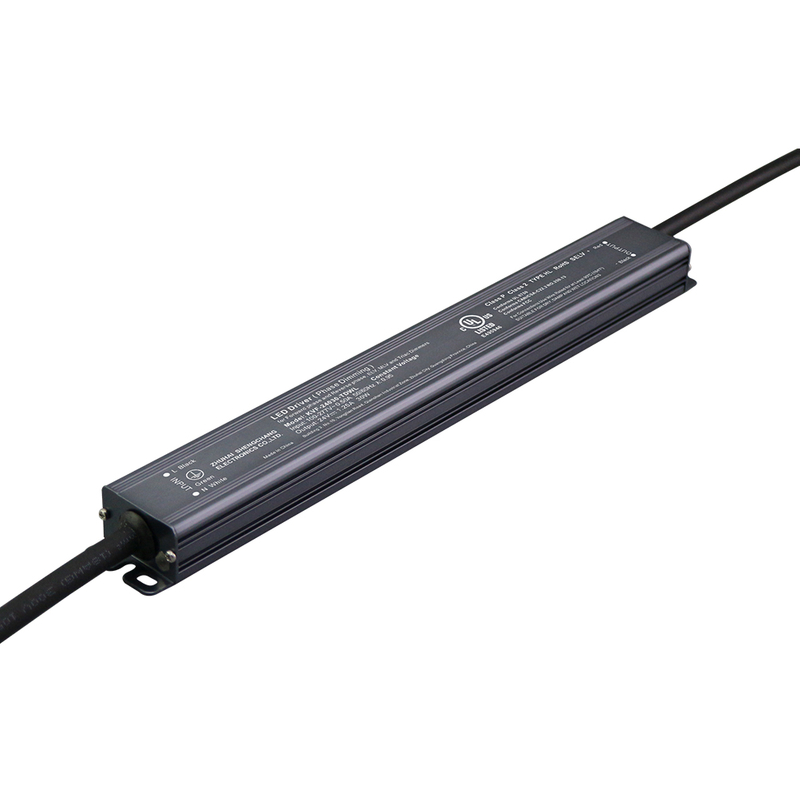
A recurring procurement mistake is treating “anything that outputs 24 VDC” as equivalent. For commercial projects, it’s not. Below is the required comparison table distinguishing consumer-grade adapters vs industrial LED drivers (such as Suretron solutions).
Before the table: the procurement takeaway is that drivers are part of the lighting control and electrical system, not a commodity phone-charger-style accessory.
Criteria | Consumer-Grade Adapter (Wall-wart / Desktop PSU) | Industrial LED Driver (e.g., Suretron solutions) |
Intended usage | Low-risk, small loads, temporary setups | Commercial, long duty cycles, engineered installations |
Wiring / integration | Typically DC barrel plug; limited terminal options | Screw terminals / robust I/O for panel integration |
Output stability | Varies widely by brand/batch; higher ripple risk | Typically tighter regulation; more consistent performance |
Protection features | Often basic; documentation may be limited | Commonly includes short-circuit/overload/over-temp protections (model dependent) |
Dimming / control support | Usually none, or limited proprietary dimming | Options for Triac, 0-10V, DALI-2, DMX512 (model/series dependent) |
Compliance documentation | Inconsistent; may lack project-required paperwork | More likely to meet commercial documentation needs (region/model dependent) |
Maintainability | Hard to standardize; replacements may vary | Easier to standardize and stock spares by series |
Total cost of ownership | Low purchase price; higher rework risk | Higher unit cost; lower risk and better lifecycle control |
Practical guidance for selecting 12 V vs 24 V in commercial runs
● 24 V is generally preferred for longer linear runs because it reduces current for the same power, which helps with voltage drop and conductor sizing.
● 12 V can still be appropriate for shorter segments or specific strip products, but it usually requires more power injection points for uniformity.
Key engineering topic: voltage drop and power injection
Commercial installations often fail uniformity checks because the strip is fed from one end over long distances. Best practice includes:
● Multiple feed points (power injection) for long runs.
● Parallel distribution from a driver to multiple shorter strip segments.
● Larger conductor cross-section on distribution lines.
● Keeping “driver-to-load” distance short where possible.
A simple project rule: if you see end-of-run dimming during mock-up, your issue is usually voltage drop, not driver wattage.
Preparation (Tools, Materials, and Site Readiness)
Commercial strip projects run smoother when the team treats installation like a small electrical system, not a décor accessory.
Tools and materials (typical for commissioning-ready work)
● Insulated screwdriver set (terminal tightening)
● Wire stripper and crimper (for ferrules/lugs where required)
● Ferrules and crimp terminals (improves reliability in screw terminals)
● Heat shrink tubing and electrical tape (strain relief and insulation)
● Multimeter (DC voltage verification at driver output and strip input)
● Label printer or cable markers (for maintainability)
● Approved connectors (strip-to-wire, wire-to-wire) per spec
● Mounting hardware and thermal interface materials per luminaire detail
Safety and compliance precautions (non-negotiable)
Safety and compliance are not optional. Mains power should be isolated with lockout/tagout (or a local equivalent) before opening wiring, and work should be performed by qualified personnel according to local electrical codes. On the engineering side, you should confirm the driver input range matches site mains, ensure correct protective earthing for metal enclosures and driver frames, verify IP rating and environmental suitability for indoor dry versus damp or outdoor zones, and plan cable routing and segregation between power and control wiring as required by the project standard.
Step-by-Step: Connecting LED Strip Lights to a Power Supply (Commercial Workflow)
This section is written in the sequence used on real sites: verify, terminate, test, document.
Step 1 — Confirm the system architecture (before any wiring)
Before landing a single conductor, confirm:
● Strip type: single-color, RGB, RGBW, high-voltage, or pixel/addressable
● Voltage: 12 VDC or 24 VDC (constant voltage), or other as specified
● Total connected load per driver and per channel (for RGB/RGBW)
● Control method: Triac / 0-10V / DALI-2 / DMX512, or on/off only
● Zoning and maintenance access (drivers in ceiling void? cabinet? accessible panel?)
This prevents the most expensive mistake: building an architecture that cannot be commissioned cleanly.
Step 2 — Connect the power supply (driver) to mains (AC input)
Most hardwired drivers have AC input terminals labeled:
● L (Line / Live)
● N (Neutral)
● PE (Protective Earth / Ground)
Typical conductor color conventions (verify by region and site standards):
Terminal | Typical Wire Color |
L | Brown / Black / Red |
N | Blue / White |
PE | Green-Yellow / Green |
Installation notes for commercial projects
● Use correct torque on terminals (per driver datasheet).
● Provide appropriate upstream protection (breaker/fuse, RCD/GFCI where required).
● For outdoor/long feeders, consider surge protection per project spec.
● Label the circuit and driver ID for commissioning and future service.
Step 3 — Connect driver DC output to the LED strip (single-color constant-voltage)
Most constant-voltage drivers present DC output as:
● V+ (positive)
● V− (negative)
On strips this is commonly marked + and − at the cut points and pads.
Connection mapping:
Connection | LED Strip Pad | Driver Output |
Positive | + | V+ |
Negative | − | V− |
Best practices
● Use correct polarity (reverse polarity usually results in “no light,” but don’t rely on that as protection).
● Keep DC distribution cable lengths reasonable; increase conductor size for longer runs.
● Consider feeding both ends of long strips or injecting at intervals to reduce voltage drop.
Step 4 — RGB / RGBW strips: add controller/decoder (do not “two-wire” them)
RGB/RGBW systems typically include:
● A DC power supply (constant voltage)
● A controller/decoder (translates DALI/DMX/0-10V/etc. to PWM channels)
● The LED strip (channels R, G, B, and optionally W)
A common topology for constant-voltage RGB:
● Driver provides 24 VDC to controller input
● Controller outputs channel negatives (or positives depending on type) to the strip
Because wiring conventions differ (common anode vs common cathode), always follow the strip and controller documentation. In project documentation, explicitly show:
● +24 V common line routing
● Channel conductors and terminal naming
● Channel current limits and load per channel
Step 5 — Add dimming/control (engineering-first, not “optional”)
In commercial work, dimming and control are rarely optional. They are part of the design intent and often part of the acceptance criteria.
Below is a protocol selection guide that ties project needs to recommended protocols and how to position Suretron solutions in a specification without over-promising a specific model.
Project Requirement | Recommended Protocol | Why This Fits (Design/Engineering View) | Suretron Positioning (Specification Language) |
Fast retrofit, simple wall dimming, minimal control wiring changes | Triac | Uses existing phase-cut dimmers; simplest retrofit path (compatibility must be verified) | Specify Triac-dimmable Suretron driver series appropriate to load and voltage |
Standard commercial zoning, smooth dimming, straightforward commissioning | 0-10V | Widely used; simple analog control; easy zoning and troubleshooting | Specify Suretron 0-10V dimmable driver solutions compatible with chosen control modules |
Building-wide scene control, addressable fixtures, integration with BMS | DALI-2 | Addressable, standardized, scalable; strong for centralized commissioning and maintenance | Specify Suretron DALI-2 driver solutions; include requirements for addressing and scene setup |
Dynamic effects, media façades, stage/hospitality feature control | DMX512 | Real-time control; robust for dynamic scenes; supports complex sequences | Specify Suretron DMX512-compatible driver/decoder solutions; include channel mapping and termination requirements |
Commissioning note: Whatever protocol is selected, add a deliverable requirement:
● “As-built control schedule,” including addresses (DALI), channel maps (DMX), zones (0-10V), and driver locations.
Step 6 — Test, commission, and document (what “done” looks like)
A commercial-ready commissioning checklist:
1. Verify DC output voltage at driver terminals under load (multimeter).
2. Verify polarity at the first strip input.
3. Check uniformity: look for end-of-run dimming; if present, adjust injection plan.
4. Check flicker: especially at low dimming levels and with camera tests if the space is filmed.
5. Thermal check: confirm drivers are not in sealed, overheated spaces.
6. Control validation: dimming curve, minimum level stability, scene recall, and fail-safe behavior.
7. Labeling: driver ID, zone ID, circuit ID, and control address/channel mapping.
Troubleshooting (Commercial Symptoms → Root Causes → Fixes)
Troubleshooting in commercial environments is about reducing rework time and protecting schedule. When a strip does not light, the most common causes are no AC input to the driver, reversed DC polarity, overload/short protection activation, or a failed connector/cut point on the strip. Each of these can be diagnosed quickly with a multimeter and a disciplined isolation approach: verify upstream mains and terminals, verify DC output at the driver, then verify DC at the strip input and work forward along the run.
LED strip not lighting
Common causes and fixes:
Symptom | Likely Cause | Action |
Entire run off | No AC to driver / breaker off | Verify upstream power, breaker, terminals |
Entire run off | Reverse polarity on DC | Correct V+/V− orientation |
Entire run off | Driver overload/short protection | Disconnect load, inspect for shorts, re-test, resize driver |
Partial run off | Bad connector/cut point | Re-terminate at next cut mark, inspect solder/connector |
Flickering or strobing
In commercial spaces, flicker becomes a quality and compliance concern (camera-visible flicker is a frequent complaint).
● Incompatible dimming method (e.g., phase dimmer with non-Triac driver)
● Driver ripple / poor regulation (common with low-grade supplies)
● Loose terminals or damaged conductors
● PWM interaction between controller and driver (in RGB systems)
Actions:
● Confirm protocol/driver compatibility (Triac vs 0-10V vs DALI-2 vs DMX).
● Use flicker-optimized, project-grade drivers for sensitive environments.
● Re-terminate and torque-check screw terminals.
● For DMX, verify proper topology and termination per standard practice.
Dimming does not behave as expected
When dimming does not behave as expected—jumping, dead zones, unstable low-end—the root causes tend to be the wrong driver type for the control method, incorrect control wiring (including interference issues), control system configuration mismatch (addressing/scenes not aligned with wiring), or load mismatch per channel. Fixing these requires returning to the control schedule, confirming the driver capability against the protocol, separating and labeling control wiring, validating addressing and grouping for DALI‑2, and confirming channel loading for RGB/RGBW controllers stays within rated limits.
Real-World Project Applications (How Decision-Makers Use This)
Commercial strip lighting succeeds when it is treated as a system: driver + distribution + control + thermal + maintenance access.
Representative applications by sector
● Retail: shelf-edge lighting, coves, display accents (focus on uniformity and clean dimming)
● Hospitality: scenes and color tuning (focus on protocol choice, commissioning, and repeatability)
● Office / mixed-use: standardized zoning and integration (focus on 0-10V or DALI-2 and documentation)
● Outdoor and façades: environmental rating, surge resilience, serviceability (focus on IP rating, protection, and cable management)
Notable projects using Suretron products (positioned as engineering outcomes)
Projects often choose industrial driver ecosystems to achieve:
● Stable dimming with reduced flicker risk
● Consistent performance across long operating hours
● Better standardization for procurement and spares
● Scalable control integration (0-10V / DALI-2 / DMX512, depending on system design)
Examples frequently cited include large hospitality and landmark properties where advanced dimming solutions and system-level reliability are expected outcomes, not optional upgrades.
Project Takeaways (For Design, PM, and Procurement)
Commercial strip lighting is rarely plug‑and‑play, but it becomes predictable when fundamentals are locked early. Before procurement, teams should finalize strip voltage and load schedules, decide driver topology including zoning and access strategy, define a voltage‑drop plan with injection points and conductor sizing, select a control protocol aligned with the operational needs of the space, and require documentation deliverables such as as‑builts, addressing/channel maps, labeling, and spares strategy. Handover is strongest when it includes a driver schedule, circuit schedule, control schedule, commissioning results, and a maintenance plan that anticipates replacement and access rather than hoping problems never occur.
Conclusion
Connecting LED strip lights to a power supply in commercial projects is fundamentally about system engineering: correct voltage and headroom, thoughtful distribution to manage voltage drop, and the right control protocol for the project’s operational needs. When you specify industrial-grade LED drivers (such as Suretron solutions) and document zoning and control clearly, you reduce commissioning time, avoid flicker and uniformity complaints, and make future maintenance dramatically easier.


